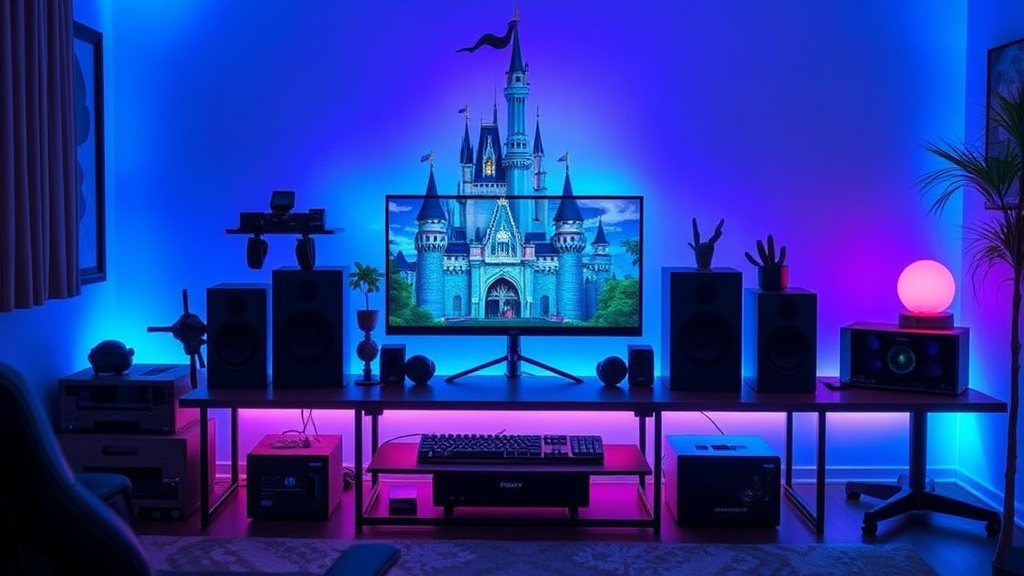
Ways to Build a Disney Inspired Gaming Setup

Do you want to transform your gaming station from a standard desk into an immersive piece of Disney storytelling?
Building a Disney-inspired gaming setup requires more than just buying a few Mickey Mouse mousepads; it requires a strategic approach to color palettes, lighting, and themed hardware. Whether you are a competitive PC gamer or a cozy Nintendo Switch enthusiast, your environment dictates your immersion level. This guide focuses on how to curate a cohesive aesthetic through color theory, lighting integration, and high-quality decor without cluttering your workspace with low-quality merchandise. By focusing on a specific "era" or "world" within the Disney catalog, you can create a professional-grade setup that looks intentional rather than accidental.
Define Your Core Aesthetic Theme
The biggest mistake in themed setups is trying to include every Disney character at once. This results in visual chaos. Instead, select a specific "vibe" to act as your design anchor. A cohesive setup follows a strict color story and texture profile.
The Neon Cyberpunk Look (Tron: Legacy)
If you prefer a high-performance PC build, look toward the aesthetic of Tron. This setup relies heavily on "Electric Blue" and "Neon Orange" accents against a matte black backdrop. Use black desk mats with glowing edges and high-contrast RGB lighting. This is the easiest theme to integrate into high-end gaming hardware because it mimics the standard "gamer" aesthetic while remaining distinctly Disney-coded.
The Cottagecore Aesthetic (Snow White or Tangled)
For those who enjoy cozy gaming or Animal Crossing, a "Cottagecore" theme works best. Focus on warm wood grains, soft cream textiles, and botanical elements. Instead of plastic figurines, use dried flower arrangements, ceramic mugs, and warm-toned desk lamps. This creates a soft, inviting environment that feels like a corner of the Enchanted Forest.
The Galactic Minimalist (Star Wars)
While technically Lucasfilm, the Star Wars aesthetic is a staple for Disney fans. This theme relies on "Industrial Minimalism." Think brushed metals, slate grays, and stark white. Use a minimalist mechanical keyboard with white keycaps and perhaps a single "Lightsaber" inspired LED light bar to add a pop of color without breaking the clean lines of the desk.
Optimize Your Hardware and Peripherals
Your peripherals are the most frequently used parts of your setup. If they don't fit your theme, the entire illusion breaks. You can achieve a Disney look through subtle customization rather than buying overtly branded gear.
- Custom Keycaps: Instead of a full Disney-branded keyboard, purchase a high-quality mechanical keyboard and add a custom keycap set. You can find artisan keycaps on sites like Etsy that feature subtle icons—such as a small gold star for Peter Pan or a tiny seashell for The Little Mermaid—placed on the Escape or Function keys.
- Desk Mats: A large, high-quality desk mat provides a massive canvas for your theme. Rather than a cartoonish print, look for "patterned" mats. A subtle geometric pattern inspired by the patterns found in Hercules or a topographic map style from Moana provides a sophisticated look.
- Controller Skins: If you are a console gamer, high-quality silicone skins or custom shells can change your entire experience. A matte teal skin for a Pro Controller can instantly evoke a Lilo & Stitch or Finding Nemo vibe.
Master the Art of Layered Lighting
Lighting is the most effective way to change the mood of your room without spending a fortune on physical decor. In a professional gaming setup, you want three layers of light: Ambient, Task, and Accent.
Ambient Lighting (The Base Layer)
This is the light that fills the room. For a Disney setup, avoid harsh overhead lights. Use smart bulbs (like Philips Hue or Govee) in your floor lamps to set a baseline color. If you are going for a Frozen theme, set your ambient light to a soft, pale blue. This creates a sense of depth and prevents the "black hole" effect of a dark room.
Task Lighting (The Functional Layer)
This is the light used for your actual gaming or work. A monitor light bar is an excellent tool here. It illuminates your desk surface without causing glare on your screen. To keep it themed, ensure the light temperature is adjustable. A warm light works for a Beauty and the Beast library vibe, while a cool, crisp light suits a Star Wars or Tron setup.
Accent Lighting (The Storytelling Layer)
This is where you add the "magic." Use LED strips behind your desk or monitor to create a "glow" against the wall. You can also use small, targeted spotlights to highlight specific pieces of your collection. If you have a specific piece of art or a high-end statue, a dedicated spotlight makes it look like a museum piece rather than a toy on a shelf. If you have a collection of physical items, you might want to look into ways to organize your Disney Parks merch to ensure they are displayed with intention.
Curating Your Display and Shelving
A gaming desk can easily become a graveyard for unorganized trinkets. To keep your setup looking professional and "Instagram-ready," you must curate your display. This means treating your Disney items as art pieces rather than clutter.
- Use Tiered Risers: When displaying figures or collectibles, use acrylic tiered risers. This allows you to see items in the back row, preventing the "crowded shelf" look. This is especially useful if you have a collection of Disney pins or small figurines.
- The Rule of Three: When placing decor on your desk, group items in threes. A lamp, a small plant, and a single themed figurine create a balanced visual weight. Avoid placing single items sporadically across the desk surface.
- Incorporate Natural Textures: To avoid the "plastic" look, mix in non-Disney textures. A small succulent, a marble coaster, or a linen mousepad can ground your themed items and make the setup feel like a mature part of your room's interior design.
Cable Management: The Unsung Hero of Aesthetics
No amount of Disney magic can save a setup that has a "nest" of black cables hanging from the desk. A clean setup is a professional setup. To maintain your theme, your cables should either be invisible or part of the design.
- Cable Sleeves: If you have multiple cables running to your PC, use a braided cable sleeve. You can even color-match these to your theme—white for a Cinderella/Princess look, or black/silver for a Star Wars look.
- Under-Desk Trays: Use a metal cable management tray (like the IKEA Signum) to lift all your power strips and heavy bricks off the floor. This keeps the area under your desk clear, making the room feel larger and more organized.
- Wireless Peripherals: Whenever possible, opt for wireless mice, keyboards, and headsets. Reducing the number of physical wires is the fastest way to achieve a high-end, minimalist aesthetic.
Final Checklist for a Successful Setup
Before you finalize your build, run through this checklist to ensure your space is optimized for both gaming performance and Disney immersion:
- Color Consistency: Do my RGB settings match my physical decor colors?
- Visual Hierarchy: Is there a clear focal point (like my monitor or a specific statue), or is the eye jumping everywhere?
- Functional Comfort: Does my themed decor interfere with my mouse movement or keyboard space?
- Lighting Depth: Do I have at least three different light sources to create depth?
Building a Disney-inspired gaming setup is a marathon, not a sprint. Start with a solid foundation of high-quality hardware and a strict color palette, then layer in your fandom through subtle, intentional details. By focusing on "vibes" rather than just "logos," you create a space that is a true reflection of your personality and your love for Disney storytelling.